 Breakouts are so much fun for my students and for ME! Not only are all students engaged, but the way that they communicate is amazing. The conversations about math as I walk around the room make my math heart so proud! :)
 Probability is the topic of this physical breakout. Topics include mutually exclusive, mutually inclusive, independent events, experimental, and binomial probability. I can share the majority of the breakout resources, but some are protected by paid versions. I have tried to make notes about what you need in case you want to try a similar activity.
 My colleague had some red MIRAs laying around. I had seen someone use the Hide 'n See app which creates hidden messages that can be seen with the app. However, the MIRA works great too! When the students walk in all they have is the BreakoutEDU box, the MIRA and the color "hide-a-gram". Each group gets a different hidden message that directs them to a different location around the room where they will find a set of probability questions to help them open the box. (Clock, Whiteboard, Projector, Bookshelf, Teacher Chair, and Telephone)
 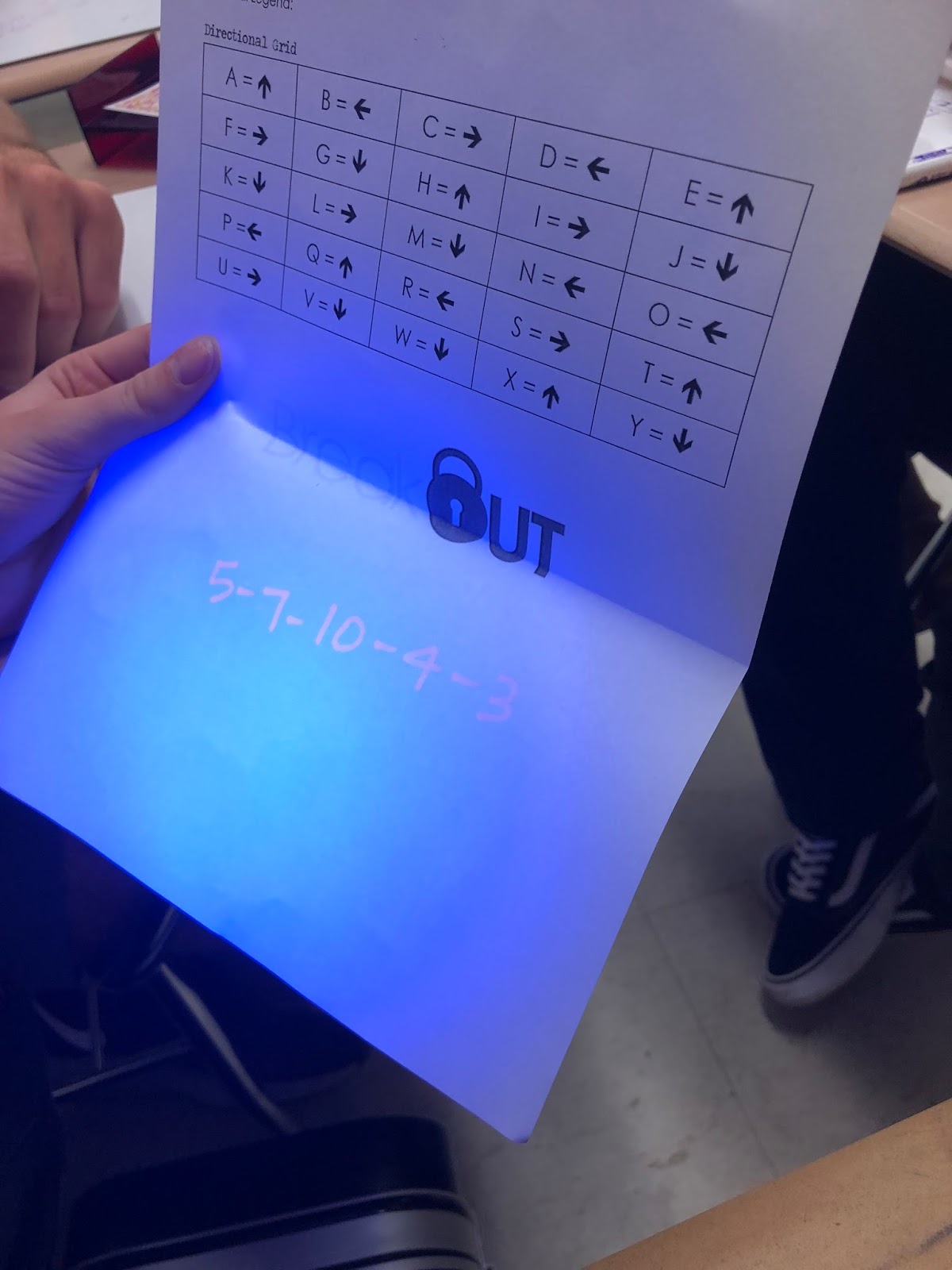 The big box contains two smaller boxes, multiple choice questions, a directional key (that goes with the questions), and a blacklight. There are 10 multiple choice questions but students only have to answer 5. These are indicated by circling certain numbers with the invisible ink pen. (Most students start by answering every question, and finally realize that they need to use the blacklight.) The answers correspond to the letters which correlate with the directional (arrow) key. The order is written in invisible ink on the back. This will unlock one of the small boxes.
 This small box contains another group of questions. The letters spell out CANDY which will unlock the next small box. This box contains a key and a picture of a locker with the locker number.


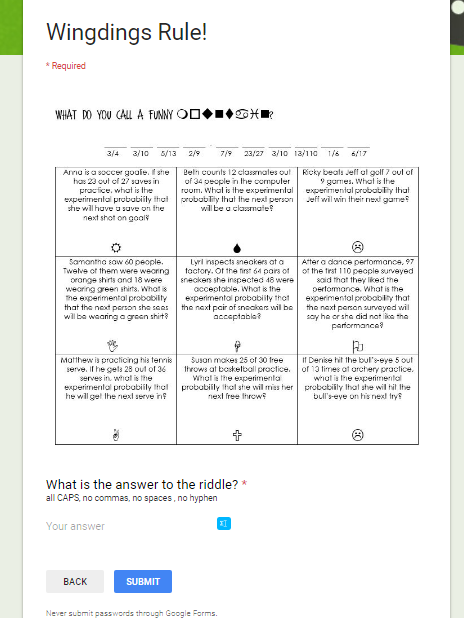 Students must venture out into the hallway and find that locker! It contains an iPad, QR code, and a little candy. The QR code leads to a Google Form with a joke that they must answer the questions to unlock. (I can't share the QR code with the form as the questions were from a paid subscription.) I changed it a little to make the answers to the joke in Wingdings - this requires students to google the key.
  On the Google Form, when students answer the joke correctly, they are automatically sent a congratulations certificate made with Canva.
 Breakouts take a lot of time to set up but are well worth the effort! Even though my students always leave the classroom mentally exhausted, they are working hard to review mathematical concepts and come away with so much!
Here are the instructions: Probability BO Instructions
Here are the printouts (that I could share): Printouts
Here is the Canva certificate.
~RJ
Comments
Post a Comment